

Where Extra Spaces in Pasted Text Come From (and What Removing Them Changes)
By Ali Alamri · · 4 min read

Extra whitespace is the one kind of mess you cannot see on the page where the text came from, which is exactly why it turns up later: in a character count that is higher than expected, in a search that finds nothing, in a form that rejects a value that looks fine. Three separate things cause it, and each one is documented.
1. Browsers hide it; text boxes do not
In HTML, repeated whitespace is mostly invisible. MDN's guide to how CSS handles whitespace (last modified 15 December 2025) describes the collapsing steps: spaces and tabs immediately before and after a line break are ignored, consecutive line breaks collapse into one, and any space that immediately follows another space is ignored. The page you are reading can contain a dozen spaces in a row in its source and still show one.
A plain text box has no such rule. Whatever lands in it stays, which is why the Remove Extra Spaces tool shows you the runs you could not see before.
2. Some spaces are a different character
The same MDN page adds a caveat: its collapsing list does not include non-breaking spaces (U+00A0, written in HTML). The Unicode character data for U+00A0 lists it under its own name, No-Break Space, in the category Space Separator, and it decomposes to the ordinary space U+0020. In other words, it looks like a space and survives where a normal space would be collapsed.
The tool treats it as whitespace like any other. Two no-break spaces between "a" and "b" come out as a single ordinary space, and the counter reports one space removed:

3. Line breaks are not one character
RFC 5322, the standard for internet e-mail messages (October 2008), defines a line as a series of characters delimited by the two characters carriage return and line feed, written CRLF, and requires that CR and LF appear in message bodies only together as CRLF. Text that arrives by e-mail can therefore carry a different line-break convention from text typed on a system that uses a single line feed. The tool's Unify line breaks option converts every kind to a single LF, and when you switch it off the tool keeps your text's own convention instead of silently changing it.
A worked example
Here is a 65-character input over seven lines. Line 1 is "Hello" and "world" separated by four spaces, with two spaces before and after. Lines 2 to 4 are empty. Line 5 is "This is a test." with two or three spaces between the words and around the sentence. Line 6 holds only a tab. Line 7 is "Last line" with extra spaces around and between the words.
With all four options on, the tool reports 24 spaces, 2 lines and 26 characters removed, and the text drops from 65 to 39 characters:
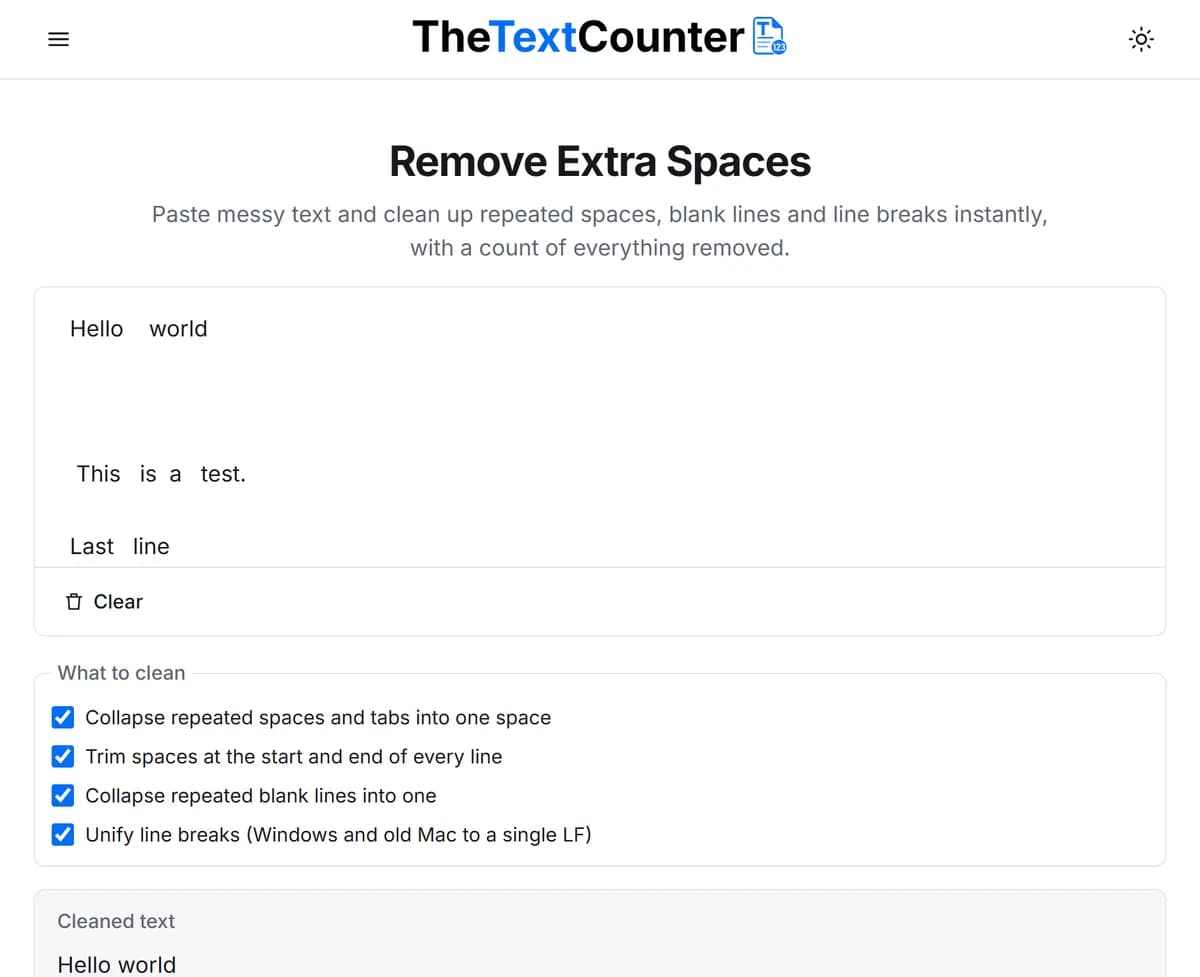
The output is three lines of text separated by single blank lines: "Hello world", "This is a test." and "Last line". Of the three empty lines after the first sentence, two are removed and one stays as the paragraph break. The line that held only a tab becomes the blank separator before "Last line", so it is not counted as a removed line.
Now switch off Collapse repeated blank lines and run the same text again:

The counters change to 24 spaces, 0 lines and 24 characters removed. The spaces are cleaned the same way, but all three empty lines survive, because that option is what removes them. Each counter answers a different question: spaces tells you about runs inside lines, lines tells you about blank lines, and characters is the total difference in length.
What the tool leaves alone
- Words, punctuation and the order of lines never change.
- A single space between words is always kept; spaces collapse only when two or more are in a row.
- A single blank line between paragraphs is kept, so the structure of the text survives.
- Single tabs between columns stay as they are, since only runs of two or more are collapsed.
A short checklist
- Paste the text and look at the three counters before copying the result. A large spaces removed number tells you where a problem came from.
- If a form or a search still behaves oddly after cleaning, check for characters other than the ordinary space, such as the no-break space above.
- When the exact length matters, paste the cleaned text into the Character Counter, which reports characters with and without spaces.